Pagina's

Showing posts with label RPG. Show all posts

Sunday, 26 May 2019

Go-kart ruined my weekend

First of all, don't get me wrong. I loved Friday night's go cart and dinner with colleagues. What people don't know is that I don't have a driver's license and Friday was my first time as a driver on a motorised vehicle. It was fun, but there's always that moment when a crash happens and 9 out of 10 times it is alright. As usual, I'm number 10. In a good way, because I once was in a car, as a passenger, and we went for a roll in a way that cars aren't supposed to go (sideways). Me and the driver only had a couple of scratches and we experienced life in a washing machine, so to speak.

And in a bad way, because with the crash, I hurt my rib or my back or whatever and that ruined my weekend. Yesterday I could hardly physically get out of bed, so we decided not to go on our little city trip that we were so much looking forward to. We'll go soon, as soon as my body allows it. It left me some time to work on my game, because my wife went to work in the garden, which I was in no way able to assist her with.

Well, nother much came from that. I was planning to have a GUI day, as opposed to a good day, but I couldn't stand sitting on my desk chair for more than maybe 30 minutes in a row. That's why I did not make much progress.

What I did do is create a couple of  elements for the canvas to show stuff in the player's journal. Right now it holds generic journal entries that are just strings, quests that the player is involved with and relationships with NPC's. What I want to do is show these in some way in the interface and possibly build on the journal itself, because I might want to have more specific information on entries and be able to link certain quest actions to my reputation with certain NPC's.

This mess actually looks as it is supposed to...

That'll be totally unrelated to the GUI, so I'll be able to work with that later, but now I'm what we dutch call "broken". Very tired. I've not been able to sleep well and while my wife does everything she can to make my life easier when I feel like I cannot do anything at all, there's only so much that bundle of goodness can do.

So for now, all glory to my wife for being kind of nice and stuff.

Wednesday, 22 May 2019

Dropping and the big drop

It took me some frustration and two days not working on the game, but it's working, the dropping of objects from the inventory. It was actually quite easy, but it was not something I expected to happen. You know, destroying children (which is only admissible in a software development context), it has some peculiarities if I understand it right and I needed to learn something new in Unity to find that out: The debug mode in Unity. I looked at this video and it helpen me on my way. Just wanted to share this one and others from Unity3DCollege which you should check out.

What seems to have happened if I understand it well, is that stuff happens in another order than I expected. I destroy and object and then check the state of things. Well, that was too soon, probably, because after the Destroy-command, the object sticks around for a while. Took me some time to find that out.

Now the sollution was not difficult in this case, because instead of object 0, which was the one supposed to be destroyed, object 1 was the one I needed. In the end all I did was change a digit.

And then I dropped the objects and tried to save one of them... In vain.


By the way, I think I'm going to use my YouTube channel more now. Gifs are all nice for a couple of seconds, but a longer video is better to show bigger pieces of the game's workings. For anyone interested, you can follow me here.

Sunday, 19 May 2019

Do I have this or not?

Alright, before my wife gets to go on the computer, a little update. Yesterday and today, I made some progress in the Inventory GUI. I put quite some thought (and YouTube tutorials) in it but it took me a day to be where I were in the earlier iteration of my game. Now that I am there, let's build.

Like with the dialog/quest boxes, I learned it is easier to keep GUI and mechanics separate, but now that I'm working on the inventory, I see the disadvantages too. Just have a look.


The inventory screen (which needs some visual changes of course), it contains two major parts: the list on the left and the details part on the right. The list part simply lists the inventory, which contains all the objects that the player picks up, or nothing. The part on the right is going to be more flexible, but what it should have now is either nothing(if there are no objects in the inventory), or the top object in the list (if there are). The buttons in the bottom are going to be Use and Drop (or equivalent, like Equip, Eat etc. That's why they don't have text yet).

It seems the display objects have a hard time communicating with the objects themselves. There's dropping mechanics in the actual objects that place the object in front of the camera and remove them from the inventory, but then... Somehow the game does not yet understand which object to work with and when to update the view.

It'll all be fine, but this is not ready by far. I'm probably making a thinking mistake, but you know how it is with thinking mistakes? You're thinking wrong, so they're especially hard to spot. I'll be back working later. Hopefully with a fresh look and it I'm lucky, I immediately see where I botched it. Wouldn't be the first time and certainly not the last either.

Friday, 17 May 2019

Very specific rocks and rats

So the weekend is here and I get to have time to work on my game. My wife is off with friends and family and the football season has finished, so hardly anything to distract me. This week's been a busy week, but I did make progress in the quest system.

I already had some gathering quest mechanics. Now I also have movement quests. Furthermore I added a way to start and finish a quest. The only way to do that was to talk to an NPC. Now moving to a designated location can also trigger the quest.


Finally, I implemented something to have completing a quest make other quests available. While this is not finished yet, I could be used to guide bigger story lines. For instance, an NPC might send you on a quest to go somewhere and that location will trigger a gathering quest or another move quest. It still requires some work to finish it, but it's starting to work a bit and, like the enemy AI, to me it kind of feels alive already, which is a good thing. I do need others to share that feeling, because such things are deceptive.

Another thing: a gathering quest is now about gathering a specific object. That's fine when I need to fetch the Special Unique Sword of So-and-So, but when I need to gather a flower or a rock, I should not need to get that one unique one. A flower is a flower, so what I'll add is that a gather objective can either point to some specific object, or one of more objects with certain characteristics, like a tag or some information about the object.

Same will be with killing objectives that i'll add later. I can be asked to kill a very specific knight or a monster or something, but it can also be that we need to get rid of a rat. Rats are not unique, unless we're talking a special one. Once I have my combat system, I'll make sure that killing a generic enemy like a rat or a guard will trigger something else than killing a special character, like that one knight,

Also, There's the matter of marking where to go for a quest. Especially now that a quest could turn another quest from unavailable to available, there needs to be some sort of recognizable thing to tell the player a certain NPC might have a quest or a certain location might. For that, I'll probably use some marker near the quest giving object like an exclamation mark or some particle effect that I never worked with.

In the next week, I'm going to work on the GUI again. I would like to have my GUI for journal entries, inventory and quests first (in no particular order). Furthermore, I would like to refactor some stuff in my worldobject class. That'll make it more flexible and easily implemented, especially for the inventory. Here I also want to prevent the GUI to show "Flower", "Flower",  "Flower", "Flower" and "Flower" when I actually just have 5 flowers. An object is unique or it isn't. If it isn't, We shouldn't spend too much space on showing them.

This'll be useful for things like arrows too. I don't want the player object to keep track of 2000 individual arrow objects. I just need the game to understand this particular object is an arrow so that it will be stored as an amount so that the game might pull arrows from a pool. But that's for later.

Wednesday, 15 May 2019

Been a while

Alright, quickly before I hit the sack. It's been a while since my last post. Life interfered like it sometimes does. Went away for a weekend with my wife to celebrate we got married a year ago, so that was nice. The neighbours and some famous tv-show both took an evening and then time goes fast, but I'm back, I guess.

What I've been working on and have not finished yet is a system of quests being triggered by a collider. Once the player moves into a trigger area, it should evaluate if that trigger completes a moving quest and then check if it offers a new quest.

Of course this does not work yet, because it seems I have trouble triggering a dialog screen to notify the player the first quest's been completed, AND somehow the new quest starts off "completed". Not sure what that is about, but I'll find that out later this week.

Now off to bed. Tomorrow gamedev time, because I refuse to watch Eurovision and having a lady in the house, that's what is happening here..

Monday, 6 May 2019

Video: So Far So Good

I did not have too much time to work on my game, so I thought It'd be nice to show some game footage of me playing whatever it is that I do have. I know it's not perfect and you'll see a couple of bugs, but it's starting to get interesting, if I can say so myself. 

`

Sorry about the video quality. I'll try to fix that later. There's a little letter pinned to the wall that I can read. It's all placeholder graphics made in Piskel to have anything to serve as a letter. It'll be replaced once I make the graphics or have someone else do that. not sure yet, so I'll focus on the mechanics, GUI and the like.

Looking at letters user the same mechanics as picking up things, opening doors and talking to NPC's. There's an interact script to do things with objects, depending on what kind of object it is. Is it an interactable, like a letter, examine it, is it an NPC, talk to it, etcetera.

Well, if it's a door, open or close it. Behind the door, there's the blue Friendly Guy that wants a red ball from me, and a red Unfriendly Guy that wants to walk towards me in a buggy fashion. Talking to the Friendly Guy reveals a quest that he has. This one is easy to complete, so I do that and return the ball. Turns out out friend does not have enough stuff on him to reward me. Usually, I'd be angry, but he, this is a public video, so I'll let him go.

I might have more time tomorrow and Wednesday. Hopefully I'll be able to complete the quest for movement quests too. There are - for now - three kinds of quests (or rather objective types; a quest can have a number of different objectives to complete): Gathering quests, movement quests, and defeat quests.

The defeat quest will have to wait before I have combat mechanics, which is not my first priority right now. That'll be movement objectives. Movement objectives are mainly meant as helper objectives to get the player to a place to have him receive further instructions. it should be quite easy to implement. That's what I'll do next.

Furthermore, I plan to make GUI for inventory, journal and quests. Later there'll be trading, equipment and player stats screens. There will probably not be based around the dialog window that I use for examining and dialoging.

Saturday, 4 May 2019

Multipurpose mechanics

The quest system really starts to look like something. A quest can be accepted or rejected and if you don't answer and return later, the NPC wil phrase the question differently. Quests have objectives that can be gathering of an object, defeating an enemy or moving somewhere. Gathering now works. When you get asked for a red ball and you get one, the NPC will understand your success and ask for the thing:


I'm pretty happy with that, because I think I built a dialog system in the progress. Not only are quests starting to be implemented, I also nog have some GUI and mechanics to run a dialog window with one or two buttons to work with. It's always nice to be able to reuse the stuff you build for seemingly unrelated purposes. With hardly any changes, the player can now read a letter on the wall.


Of course I know the letter is not easily readable, so I'll make the panel less transparent and lighter of color, but it pleases me that it works so nicely. Pretty proud of myself.

Before I get ahead of myself. That's it for now.

Thursday, 2 May 2019

A quest in its own right

So I'm implementing quests in my game and since I had been quiet for a while, I'll start with a cheap joke: that's a quest in its own right. It looks like it's taking shape, but it's all looks now.


The first thing I needed to do is have the game understand there's such a thing as a quest, which is now actually nothing more than a class with a couple of strings to contain text. Most of the text is for  dialogs, so I created a dialog handler that can show whatever you want to show in a dedicated dialog window when the rest of the GUI is hidden.

Quests are connected to WorldObjects via a script so that when you interact with that object, it'll view the dialog box. That's kind of all I did tonight. What I'm going to do next is make this a real exchange. There's a couple of lines the NPC can speak, depending on the status of the quest, but that status will never change. For that, I need to have the player actually get the quest. Getting it will change the status. 

Next, I want to add mechanics to the quest so that it has objectives. A delivery quest, like this one, needs to have information on what the NPC wants to have delivered. In this case, the red ball. Furthermore, finding the red ball should change the status of the objective so that when I return to the NPC, it'll be able to decide what to say. A lot of stuff.

And... I need to get the NPC to respect me enough to stop patrolling when we're talking and maybe other NPC's to wait for the dialog to complete before doing their things. 

Saturday, 27 April 2019

Objects and children

So, yesterday I added a lot of AI behaviour for the Unfriendly Guy, the guy in the red capsule and it went quite ok. I had some code from my old iteration of the game that had a finite state machine in it and I copied it to the new one, with some additions and changes. When I tested the patrolling behaviour, this happened:


When I could not immediately spot it, I decided to call it a day and have a look later, because it was already quite late and I was tired, but I found it oddly regular what Unfriendly Guy was doing, so no worries. I can fix this easily with a fresh look.

So I turned on my computer this morning and this is what I saw:


Here is the problem. The fact that all was so regular and nice was because the script was working just fine. The NavMeshAgent (the green cylinder) was doing exactly as planned and walking from waypoint to waypoint, avoiding the walls. All I needed to do was make sure the guy was at the same position and rotation. The body was at a different place than it was supposed to be. So I put the Z and Z axis of the body to zero and moved the cylinder to the place where the body was standing, taking the body with me. Now it works.

So, note to self and my first tutorial-a-like thing: when you move objects, make sure you move the right object if they are connected and you want them to be at the same transform.

Wednesday, 24 April 2019

A friendly NPC to console me

Sorry, but I'm a bit cynical today. Today was the day my favorite team really relegated. They could get second to last, but a 0-4 loss is just enough. Having said that, I needed a friend to console me and who better to have as a friend as one you can create yourself: The Friendly Guy.


Friendly stands next to a wall, arms wide open and has a certain presence in having components in Unity. Further, I saw worse goalkeepers today, but Friendly Guy does not do anything at all. Yhe player script understands it's something to talk to, but that won't get you very far yet. Tomorrow perhaps. For now, this is my new friend supporting me in these hard times.

Other things I did today are less visible and less comforting, but useful to keep track of objects(and probably better goalkeepers too). In short, what it comes down to is that I created several short scripts to help distinguish between different types of WorldObjects. All interactable things will have a WorldObject component to make them visible in the GUI and the rest is up to those components. 

Doors have opening and closing mechanisms, weapons can be swinged, food can be eaten. That kind of stuff. I had some door swinging behaviour in the world object and I wanted to get that to a specific script so that I might not risk opening and closing apples later. Not fun, not exciting, but important to make the programming job easier in the long run. So it's good. Better than some goalkeeper, I might add.

Monday, 22 April 2019

Small GUI additions

Today, I had about 2 hours to work on my game, as we just returned from the inlaws (which are lovely people) and I tend not to take my laptop with me when going for visits to them. Thats one of the perks of Easter. The aim of Easter is obviously to work on games - or else they wouldn't have called those funny features Easter Eggs - but now I hardly had any time.

What I did do is a couple of small things. First I changed the direction markers of the minimap to make sure to the front is always upright. I used to have the markers standing upright when facing north, but that did not make sense. Now the marker will be better. I will probably make the yellow player marker a bit bigger later, but I'm not sure yet. It all depends on how it will be in proportion once I put other elements in. Whetever that is going to be, don't expect the minimap showing random elements like "red ball". I found a quote on Twitter this week. If you put vital information on the minimap, players will look at the minimap and not at the game. We should avoid that, shouldn't we?

Another thing I made was a little change in the interaction script. Things could be interacted with if they had a WorldObject component, which is probably not very flexible, so I changed that to checking for a tag. Once the tag is correct, the interaction routine will find out what kind of interactible object we're looking at and that saves getting non-existent components. Not too big of a change, but a change nonetheless. I'm probably changing that later still, when I will have classes derive from the WorldObject, but we'll see how that goes.

Lastly, I reintroduced the Healthbar. I wanted to make it flexible too, so I made a system that will be able to be introduced with enemies and other guys too. One just links a health system and it'll be able to show health and fatigue for the health system. It all happend by changing the scale of a pivot object:


The only thing I now need to do is add a health system to the player and make it calculate the values of the scale between 0 and 1. That value should be the scale of the pivot.

Having said that, that is the bit of UI I wanted to do in the short run. After linking the bars to the player, I'll enter my first NPC, a friendly guy that will give a quest involving a red ball, probably. That'll take a lot of extra steps. I'll need a guy graphic (which is going to be very poor), a quest system, a journal and a bit of interaction between the player and the NPC. Should be enough for the week.

Saturday, 20 April 2019

North, East, South, West

I already had a mini-map in my old game, but I was not happy with it, because it lacked flexibility to have other objects plug in or not. That's why i decided to rebuild it and make a camera that can only see specific kinds of things: objects with a MiniMap layer.

I put a Camera way over the player object and let it look straight down. It does not actually look for the objects on the ground, but at quad objects, flying in the air. Game development is sometimes just magic, because we're talking about three-dimensional objects that only have one side. Rotate them right and you can draw something on the top side and from the side and the bottom, you can see straight through it. Next, remove all shadow casting and receiving and remove the collider and we're good to go.


I also put NESW markers on the side of the minimap to indicate the direction the player is going. The player always goes upwards on the screen. Now that I'm writing this, I see the markers rotate wrongly. If you're going south, they will be upside down. That I'll fix later this week. 

Now It's time to go to bed. Happy Easter everyone.

Friday, 19 April 2019

This opens doors

Today I've been practising with opening and closing doors via the Animator in Unity. I got rid of all the DoorScene stuff that caused me all the grief because changing Scenes was buggy and I rebuilt a Door object consisting of a pivot and a cube, plus an empty object Orientation for later use. What I wanted to do is just like in the older version, which is opening and closing it without major bugs, so I added a couple of animations:


I find myself having a strange talent in making things that are kind of creepy in their just-not-rightness, like the old Creepy Guy that turned to watch your every move. I don't know what is creepy about the doors really, but they are, in some way.

So I needed to plug the animations in an Animator component. Then I replaced the doors by the prefab I was working on and voilà, doors that actually work:


 Doors are now just objects with a type Door and a name to show on the UI when looking at them. Depending on the type, the UI also shows a message to press E to pick up, open/close, interact or whatever one can do with certain types of objects. Pressing E then changes a flag in the door object and triggers a parameter that controls the animation to run. When the door swings open, the player can walk through, because the collider of the door moves aside. Just like in real life.

Another very related thing I did was with the red ball. I can now really pick it up. Earlier I announced that I could, but yesterday I saw that adding the ball to the inventory object did not really add it. I don't really know why, but I managed to fix it by letting the Inventory class derive from MonoBehaviour and then connect it to the player.

Next I'll add two basic elements to the screen, the major healthbars (health and fatigue) to the bottom left and a minimap to the top right. Not the nicest thing to do, but I'm trying to get the basic UI out of the way as soon as I can because I can then focus on the game mechanics like NPC behaviour, quests and combat.There'll be enough GUI stuff to do anyway.

Thursday, 18 April 2019

Just idly looking at the code

It seems that sometimes, one does not produce any new lines of code in a day and still feels productive. Maybe it's me, but usually, those are key days for me, because those are the days ideas just happen.

Today, I was thinking about objects in my game and how to interact with them. Had a little conversation online about destroying and deactivating them and in the future, arrows will be pooled and deactivated,  while money'll be destroyed.  Furthermore, I will have the inventory class derive from monobehaviour, so I can add it to the player directly,  because why should I instantiate it manually?

Those doors have been a torn in my side too long, so they'll be gone and replaced by something else that I will build myself and not take from a tutorial.

Funny thing about failure and idleness is that it gets under my skin and that brings the will to conjure up solutions.

Am I already some modern day Confucius?

Tuesday, 16 April 2019

Making things eternal

So, back to the Scene Manager. I kind of have the idea I'm making progress, but I'm not sure how and why, but hey, i'm a programmer and those memes somehow sometimes just are true and there's no use trying to find out how.

What I'm trying to do is to make sure some objects in the game are cross-scene, so essentially eternal. For instance, the player state should not suddenly change to him having another inventory or maximum health or anything like that, so I took that script with me. Unity then makes the entire player object eternal, which is ok with me. another one is the WorldObject, because if I pick up a ball on level 1 and go to level 2 and back, I would not expect the ball to be both where I found it and in my inventory, so I need to keep track of the position and activeness of the object. That does not yet completely work, so I'll have a look later.

Anyway, it's late and I'm to hit the sack now. New day tomorrow.

Monday, 15 April 2019

A lot of small victories

So, last post was kind of a cry for help and while I did get reactions on Twitter, I have not yet been bale to have the scene management my way. I'm going to let that rest for a moment and revisit that when I feel like it and focus on some of the other things I need. More specific, I focussed on the health system inventory and the inventory for characters.

For the health system, I dreamt up a simple class that tracks current values and maximum values for health, fatigue and oxigen. There's a couple of methods to get the values, edit them, and make calculations to find out how far the respective bar should be filled when I implement it. I have the code for the bars on the shelf from my older iteration of this game and I'll add the oxigen to the mechanics for when the player is under water (so later). 

It is nice though to have a little thing under my belt after the scene problems. It makes the project go on. Always nice to have things that you know are going to be alright to keep the pace and help motivating, because I might not look it, but I'm human after all, and that is what seems to work with us.

Another thing that I made is the framework for the inventory system that I can use with both the player and NPC's (and maybe even things like chests and cupboards). Any inventory holds only two fields: an amount of coins and a list of objects. That's what a certain inventory can be. It then has a number of methods to control the amount of coins and to add, remove and find objects, plus a number of methods to exchange stuff with another inventory, like selling, buying and finding out if either of the inventories has enough money to buy an object that the other one may or may not have.


While that all is kind of theoretical, I wanted to implement something practical, so I got the inventory to get to work.You see this shiny red ball right in front of you? Take a look at it and see the crosshair focus and change shape as you get closer. When you get close enough, there'll be a message that you can pick up the ball and when you press E, you pick it up. That entails adding it to the inventory, setting it inactive in the scene and showing some message in the GUI. 

Now that I picked up the ball, and I am able to pick up other things (I'll wait a bit before I implement other interaction types), I can start working on the inventory display to show that I have something. Another thing is implementing the healthbar and fatigue bar and then I'll start working on the minimap. If I have that, I'll have most features that I had in the older game, but then better structured.

Glad to have something to cheer about now. I'm sure I can fix the problem I had this weekend.


Sunday, 14 April 2019

Scene Management Trouble

Another technical post today, because I'm having problems again. Yesterday evening, I started trying to get the rotation right when getting through a door to another scene.I have this GameHandler singleton that controls some things that should not be lost when changing scenes. In this case, it's a door number and a rotation .

When changing scenes, the plan is that the GameHandler gives information to the player-scripts to put him on the right position (which often works) and rotation (which does not seem to work).


In short: I have two problems. 


  1. First I can't figure out why sometimes the scene puts the player on the 0,0,0-position when loading and how to fix that.
  2. Second, somehow I can't get the rotation of the player to work to look at the door orientation point or to keep the rotation that he had in the previous scene.
Here's my project on GitHub: https://github.com/Xrocetoxtos/RPG2

Thursday, 11 April 2019

Walking down

Good morning from the bus on my way to the day job. Last week, I wrote that I was starting my RPG project over and would make sure to get the basics right from the get go and then expand.  So yesterday evening I had to scratch the majority of the movement mechanics because I wanted to add something. 

We had a player objects with a Rigidbody component in Unity and that object gets the order to move around, which does work. Except when it does not. You see, there is this thing called gravity that pushes objects down. We know that and your historian-programmer probable isn't the one to explain that. Let me just ignore the actual physics and tell what happens to the player. 


We're standing on top of a ramp or hill and that red ball at the bottom sure looks alluring, so let's go there. You take the first step forward and gravity pulls you down. Then the next.

This sounds alright, but it is not. This makes for a series of bounces, because, contrary to actual humans, the player does not really step up or down. He walks forward and gravity does the rest.

Now I am not a anatomy expert either (blogging is a humbling experience) but I figure I need to have somthing resembling stepping down and blocking and controlling gravity or something to support gravity so the player does not walk ahead and fall, but actually experiences the down force while walking.  I know from walking downstairs this morning that we use our legs to catch the gravity, but I'm picking option B.

Long story short, because it was a hours job causing all kind of weird problems.  I now have a CharacterController component replacing the Rigidbody and that one shoots down rays to find out how they reflect on the floor. If they go up, no problem.  If they go backwards, we're walking uphill and that goes fine anyway. If we're going down, there is an additional force down pushing the player to the floor. Quite pleased about it.

Now I kind of have the movement finished. I do need to have something to make sure that a player does not get stuck when standing up from a crouching position in a confined space. Today however, I'm going to the football game anf and I'll be home late. Maybe tomorrow.

For this week, I hope to be able to have the crosshair react to distance to an object and have the GUI mention the object.  Hence the red ball. Furthermore I want to enhance the scene management to work from the door itself and make sure the player does not look at the door after entering. Should be possible.

Wednesday, 10 April 2019

Crouch!

Alright, an update from the bus. Yesterday, I made some adjustments to the deep water mask because I got some feedback from a colleague who thought it was not watery enough and it looked more like fog. I might change it again later. Besides, maybe I'll have the opacity change from code to reflect the player being deeper.

I also dropped a red ball in the scene and named it Red ball. Nothing much happens here. Idea is that the player can look at it with the crosshair and have the GUI show the info.  Later I'll implement picking it up. I need that for interacting with objects. The door script now just triggers on being near the door and pressing the key. I need the player to look at the door directly for it to work. Doors are just other kinds of balls, so if a ball works, it's a small step to make the door work. 

Lastly, I made something that my old game did not have yet: a player state script to keep track of what the player is up to. Now it only tracks if the player is running or not and if he's crouching. This datascript will be referenced from different scripts, most notably the game handler and the movement script. 

The first thing implemented is basic crouching.  It's not finished yet, but for now it just makes the player smaller and the camera lower when pressing Ctrl. Next time on Ctrl, the player goes back to the original size.


This works, with a little drop when getting smaller. It does not, however change the size of the collider and I want the camera to clamp differently when crouching, so that'll be work. Now to the office and earn money first.


Tuesday, 9 April 2019

Deep water

In the previous version of my RPG I had this too, but it was implemented in a PlayerInteract script and the color was not really all that awesome, so I decided not to copy it from the old version, but to rebuild it. We're talking about the Deep Water Mask, a blue glow across the screen to notify the player he's below the surface of the water. When the screen in blue, it means special physics are there (which are not implemented yet) and there will be trouble once you're out of oxigen.

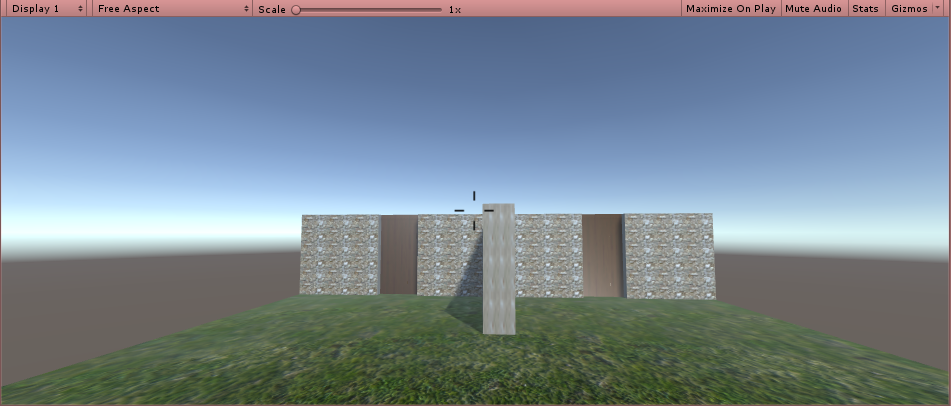
This is our test scene without DWM:

And this is the same scene with DWM, so below the surface of the water:

Another thing I implemented is that I put the crosshair in the center of the screen. It does not do anything yet, but the script understand that it's a special object it might want to reference and modify in code. 

All in all, this was just a bit of tinyness that needs to be done, but does not take a lot of time. The script behind the things is not implemented yet. The crosshair will have its parts move to the center when pointing to something near and wide as it is in the picture, when pointing to something far away or not pointing to anything at all. the mask will be activated when the player is below the surface of the water, as explained in my earlier article on Drowning.

this week I'll finish the scene management that I was working on yesterday, as well as the implementation of the crosshair. For that, I'll be introducing some objects to interact and a script for the player to interact with the objects (starting with looking at then and gaining information)