Pagina's

Sunday, 14 April 2019

Scene Management Trouble

Another technical post today, because I'm having problems again. Yesterday evening, I started trying to get the rotation right when getting through a door to another scene.I have this GameHandler singleton that controls some things that should not be lost when changing scenes. In this case, it's a door number and a rotation .

When changing scenes, the plan is that the GameHandler gives information to the player-scripts to put him on the right position (which often works) and rotation (which does not seem to work).


In short: I have two problems. 


  1. First I can't figure out why sometimes the scene puts the player on the 0,0,0-position when loading and how to fix that.
  2. Second, somehow I can't get the rotation of the player to work to look at the door orientation point or to keep the rotation that he had in the previous scene.
Here's my project on GitHub: https://github.com/Xrocetoxtos/RPG2

Thursday, 11 April 2019

Walking down

Good morning from the bus on my way to the day job. Last week, I wrote that I was starting my RPG project over and would make sure to get the basics right from the get go and then expand.  So yesterday evening I had to scratch the majority of the movement mechanics because I wanted to add something. 

We had a player objects with a Rigidbody component in Unity and that object gets the order to move around, which does work. Except when it does not. You see, there is this thing called gravity that pushes objects down. We know that and your historian-programmer probable isn't the one to explain that. Let me just ignore the actual physics and tell what happens to the player. 


We're standing on top of a ramp or hill and that red ball at the bottom sure looks alluring, so let's go there. You take the first step forward and gravity pulls you down. Then the next.

This sounds alright, but it is not. This makes for a series of bounces, because, contrary to actual humans, the player does not really step up or down. He walks forward and gravity does the rest.

Now I am not a anatomy expert either (blogging is a humbling experience) but I figure I need to have somthing resembling stepping down and blocking and controlling gravity or something to support gravity so the player does not walk ahead and fall, but actually experiences the down force while walking.  I know from walking downstairs this morning that we use our legs to catch the gravity, but I'm picking option B.

Long story short, because it was a hours job causing all kind of weird problems.  I now have a CharacterController component replacing the Rigidbody and that one shoots down rays to find out how they reflect on the floor. If they go up, no problem.  If they go backwards, we're walking uphill and that goes fine anyway. If we're going down, there is an additional force down pushing the player to the floor. Quite pleased about it.

Now I kind of have the movement finished. I do need to have something to make sure that a player does not get stuck when standing up from a crouching position in a confined space. Today however, I'm going to the football game anf and I'll be home late. Maybe tomorrow.

For this week, I hope to be able to have the crosshair react to distance to an object and have the GUI mention the object.  Hence the red ball. Furthermore I want to enhance the scene management to work from the door itself and make sure the player does not look at the door after entering. Should be possible.

Wednesday, 10 April 2019

Crouch!

Alright, an update from the bus. Yesterday, I made some adjustments to the deep water mask because I got some feedback from a colleague who thought it was not watery enough and it looked more like fog. I might change it again later. Besides, maybe I'll have the opacity change from code to reflect the player being deeper.

I also dropped a red ball in the scene and named it Red ball. Nothing much happens here. Idea is that the player can look at it with the crosshair and have the GUI show the info.  Later I'll implement picking it up. I need that for interacting with objects. The door script now just triggers on being near the door and pressing the key. I need the player to look at the door directly for it to work. Doors are just other kinds of balls, so if a ball works, it's a small step to make the door work. 

Lastly, I made something that my old game did not have yet: a player state script to keep track of what the player is up to. Now it only tracks if the player is running or not and if he's crouching. This datascript will be referenced from different scripts, most notably the game handler and the movement script. 

The first thing implemented is basic crouching.  It's not finished yet, but for now it just makes the player smaller and the camera lower when pressing Ctrl. Next time on Ctrl, the player goes back to the original size.


This works, with a little drop when getting smaller. It does not, however change the size of the collider and I want the camera to clamp differently when crouching, so that'll be work. Now to the office and earn money first.


Tuesday, 9 April 2019

Deep water

In the previous version of my RPG I had this too, but it was implemented in a PlayerInteract script and the color was not really all that awesome, so I decided not to copy it from the old version, but to rebuild it. We're talking about the Deep Water Mask, a blue glow across the screen to notify the player he's below the surface of the water. When the screen in blue, it means special physics are there (which are not implemented yet) and there will be trouble once you're out of oxigen.

This is our test scene without DWM:

And this is the same scene with DWM, so below the surface of the water:

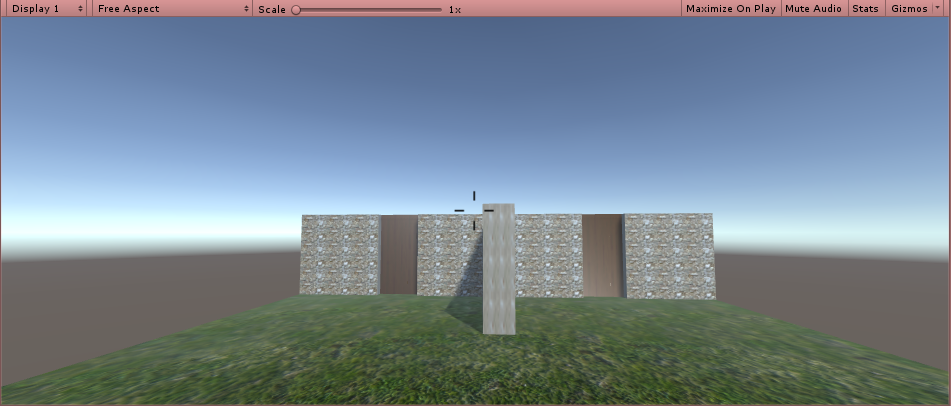
Another thing I implemented is that I put the crosshair in the center of the screen. It does not do anything yet, but the script understand that it's a special object it might want to reference and modify in code. 

All in all, this was just a bit of tinyness that needs to be done, but does not take a lot of time. The script behind the things is not implemented yet. The crosshair will have its parts move to the center when pointing to something near and wide as it is in the picture, when pointing to something far away or not pointing to anything at all. the mask will be activated when the player is below the surface of the water, as explained in my earlier article on Drowning.

this week I'll finish the scene management that I was working on yesterday, as well as the implementation of the crosshair. For that, I'll be introducing some objects to interact and a script for the player to interact with the objects (starting with looking at then and gaining information)

Monday, 8 April 2019

The Choose-a-door-dilemma

Yay, I did what I set out to do. I got myself a working Scene Manager. Idea is that I have a singleton object that'll keep track of a couple of things that I'm not going to like being renewed when swapping between scenes. That GameHandler script will remember what door I'm passing through and any door in Scene 1 will have its nemesis in Scene 2, so whenever the player gets through door 1 to another scene, the script is able to find the corresponding door and place the player in front of that. I tested it with a couple of doors that make the playes go to another scene and find a specific spot there. That works.


Now I only need to adjust the rotation of the player to get through the door and not look straight at in, but have it at its back. That's for tomorrow,

The other thing I did was implement some running behaviour for the player and make sure walking backwards is not as fast as walking forward.

Sunday, 7 April 2019

Starting over

So, scary title perhaps and I can almost see the individual shivers running down the spine, but I feel good about starting over. I'm not tossing out the project by any means, but I am going for a major code cleanup, so I'm reimplementing the features that I already made.

This weekend I was working on a system to move from scene to scene via doors and I found that many of the things I needed were all over the place in scripts that I needed to copy to the other scenes. Next I needed to find a way to influence the position for the player on return.

That kind of stuff is inevitable when you are learning to work with Unity, but it makes for terrible messes. Now I think is the time to start over and overthink the projects buildup more. I need a new feature, then I need to think about what implementation it gets. Now that I have my Github set up, I can go back, but it'll preferably be to a good basis.

Today, I reset the walking mechanic and the looking around. Next, and I will plan better, I will  implement changing scenes in a generic way. Looking forward to making it better.

Wednesday, 3 April 2019

Ideas about design

Making a game is actually more than making a game, even if that sounds contradictory. Being a programmer, I know that the trick often is not in the algorithm or the user interface, but in finding out what to make exactly anyway. In games that's even more than in the day job, because there's nothing much creative about calculating interest or about making a secure connection. It just has to be correct.

Games, on the other hand, those are different, because they need to be compelling. The game I have right now, it might be mostly bug free for now, barring stuff I didn't implement yet, but that does by no means make it a good game yet.

When the forest guy sees me, it'll say "HELLOOOOO" on the console and that's intended. But it's not fun. It does not trigger me to go and get seen or to avoid that. In my posts on AI I discussed this before.  The guy needs to do something related to the seeing to make it stand out and that is not finished yet.

What is he supposed to do then? Well, I don't know exactly yet. Zombies will mindlessly attack and kill or get killed, that's easy. Quest givers will ask for attention and give a quest. But there must be something to distinguish between different characters and settings to make them be their own thing. That's design.

I don't have much experience with that, even though I consider myself a so-called idea guy in some sense. Problem is those ideas flash by and need to be caught and processed. The processing takes time and effort and that's fine, but it takes the pace of the project and that feels strange.

No problem though. With all this rambling and ranting going on, one needs to remember that sometimes inspiration lies right before your eyes. Just ideas waiting to pop up. The church in the town I work in, it has a weird tilting tower, they found a Roman boat in the park near my house, the busses at the station always get in each other's way, a couple of weeks ago, me and my wife visited a castle with nice gardens. I found a website with example medieval city planning ideas.

All of them possible games to be made or ideas to make games better and more actually mine. Assets are all nice and shiny, but these things make a difference. Now back to work and stop the crap!